Adding ssh key to github
On github you need search by Settings.

Then, in the next page, search for SSH and GPG keys
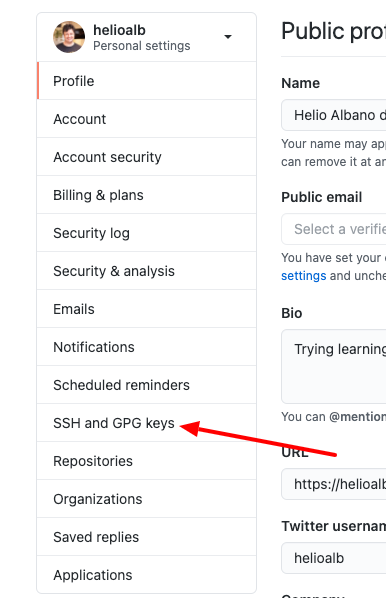
In the next page click in New SSH Key

Now, in your terminal:
ssh-keygen
For the messages below only press enter
Enter file in which to save the key (/home/vagrant/.ssh/id_rsa):
Enter passphrase (empty for no passphrase):
Enter same passphrase again:
At this point your keys (private and public were generated)
cat ~/.ssh/id_rsa.pub
copy the content and paste in the github
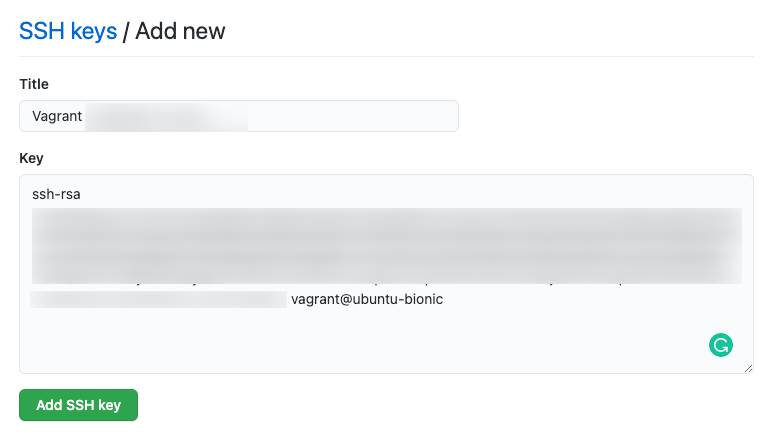
Just click in Add SSH Key and your ssh is available for use it.